The Apache HTTP Server project released version 2.4.71 on 11 November 2026 to fix CVE-2026-119618, a flaw in Apache's HTTP/2 module that can lead to remote code execution. Apache rates it critical. It affects Apache 2.4.55 to 2.4.70 when HTTP/2 is turned on, as well as some older distribution packages that include a newer HTTP/2 module. Debian, Ubuntu, Red Hat and cPanel have published fixed packages. CISA had recorded no known attacks as of 13 November, so this is the time to update, before that changes.
Facts checked on 17 November 2026 against Apache's security page, the CVE record, and the Debian, Ubuntu, Red Hat and cPanel advisories. Details can change as more information is published, so confirm against the sources at the end.
What is CVE-2026-119618?
It is a bug in mod_http2, the part of Apache that handles HTTP/2 connections. Apache describes it as a synchronisation flaw in the function assign_headers() that can corrupt memory and "can lead to RCE", meaning an attacker could run their own code on the server. Red Hat adds that no login is needed to reach it.
Apache credits two independent finders: Anthropic's OSS Scanner, which reported it on 26 October, and Anthony Weems and Simon Scannell of Google Cloud Vulnerability Research, who reported it on 3 November.
How severe is it? It depends on who you ask:
- Apache rates it critical.
- CISA and Ubuntu score it 8.1 (high). Their score treats the attack as hard to pull off.
- Red Hat scores it 9.8, but rates its own RHEL 9 and 10 packages important, because of how memory is handled in its builds.
Whichever score you use, it is worth fixing this week. We are not describing how to exploit it.
The same release also fixes two smaller issues: a crash in mod_md, the module that fetches Let's Encrypt certificates (rated important, Apache 2.4.30 to 2.4.70), and a one-byte overwrite in mod_vhost_alias (rated low, 2.4.69 and 2.4.70).
Who is affected?
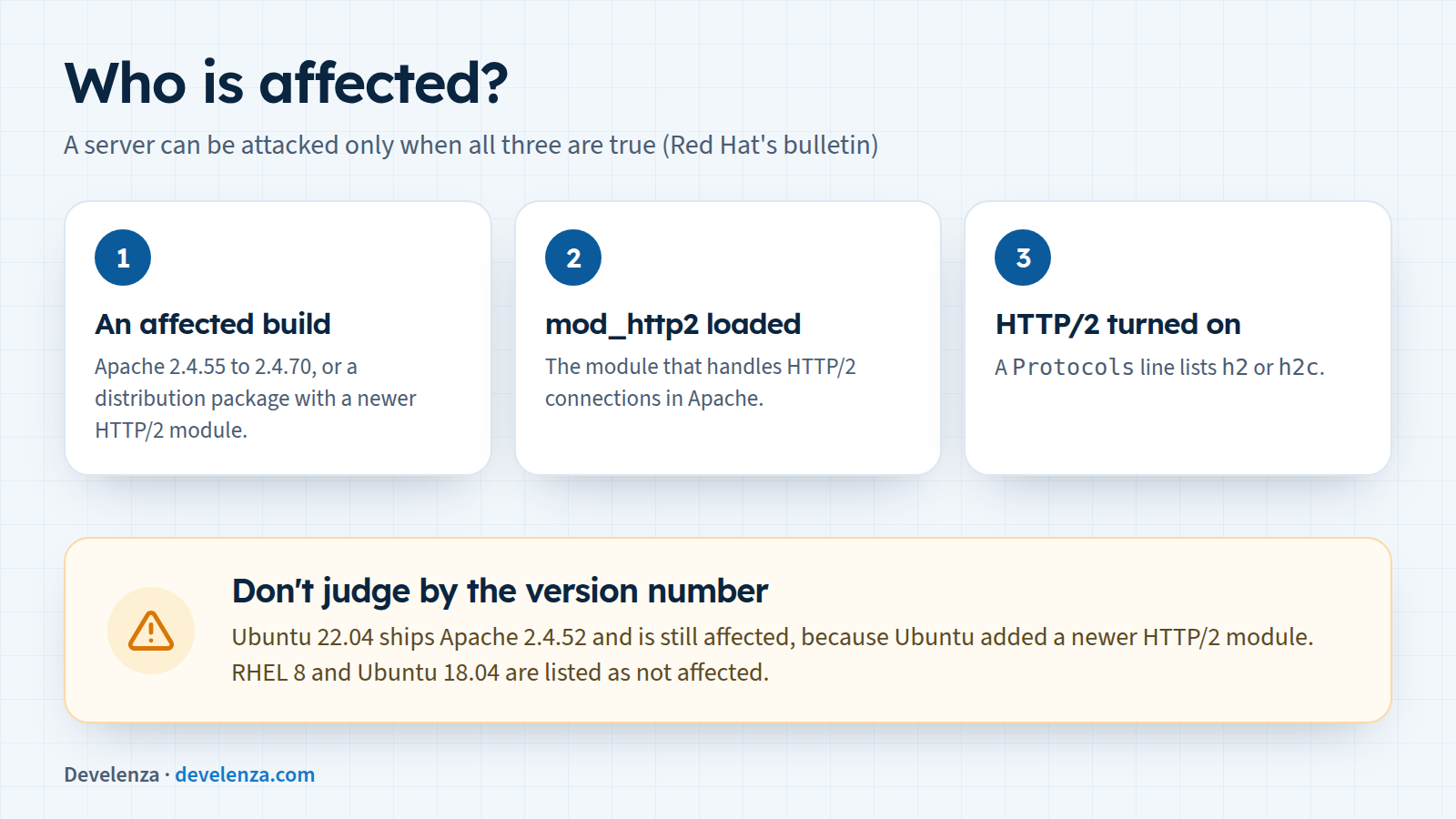
According to Red Hat's bulletin, a server can be attacked only when all three of these are true:
- It runs an affected build. Upstream, that is Apache 2.4.55 to 2.4.70, or
mod_h22.0.8 to 2.0.42 from GitHub. mod_http2is loaded.- HTTP/2 is turned on, meaning a
Protocolsline listsh2orh2c. Apache's documentation says HTTP/2 has to be enabled this way before the module does anything.
Don't judge by the version number alone. Ubuntu has added newer versions of the HTTP/2 module to its older releases, so Ubuntu 22.04, which ships Apache 2.4.52, and Ubuntu 20.04 (2.4.41) are both affected and both have fixes. On the other hand, Ubuntu 18.04 and older and Red Hat Enterprise Linux 8 are listed as not affected.
On shared hosting you don't control Apache yourself, so the question goes to your host (see step 5 below).
How it unfolded
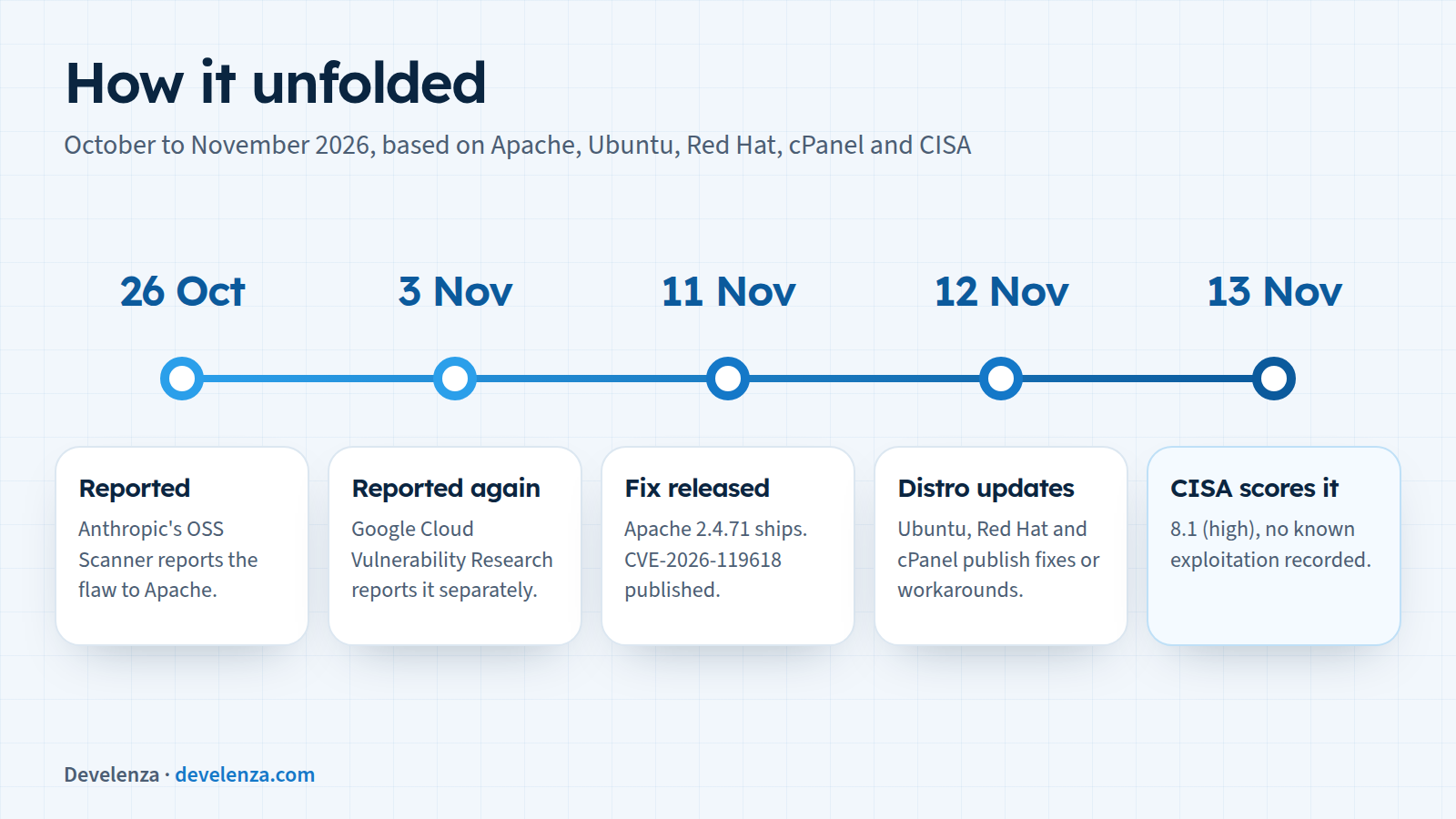
- 26 October: Anthropic's OSS Scanner reported the flaw to the Apache security team.
- 3 November: Google Cloud Vulnerability Research reported it separately.
- 11 November: Apache released 2.4.71 with the fix and published CVE-2026-119618.
- 12 November: Ubuntu published USN-9090-1 with fixed packages, Red Hat published security bulletin RHSB-2026-017 with a temporary workaround, and cPanel shipped Apache 2.4.71 in EasyApache 4 release 25.96.
- 13 November: CISA scored it 8.1 (high) and recorded no known exploitation.
- By 17 November: Debian had fixed packages for Debian 12 and 13, and the flaw was not in CISA's list of actively exploited vulnerabilities.
Which versions are fixed?
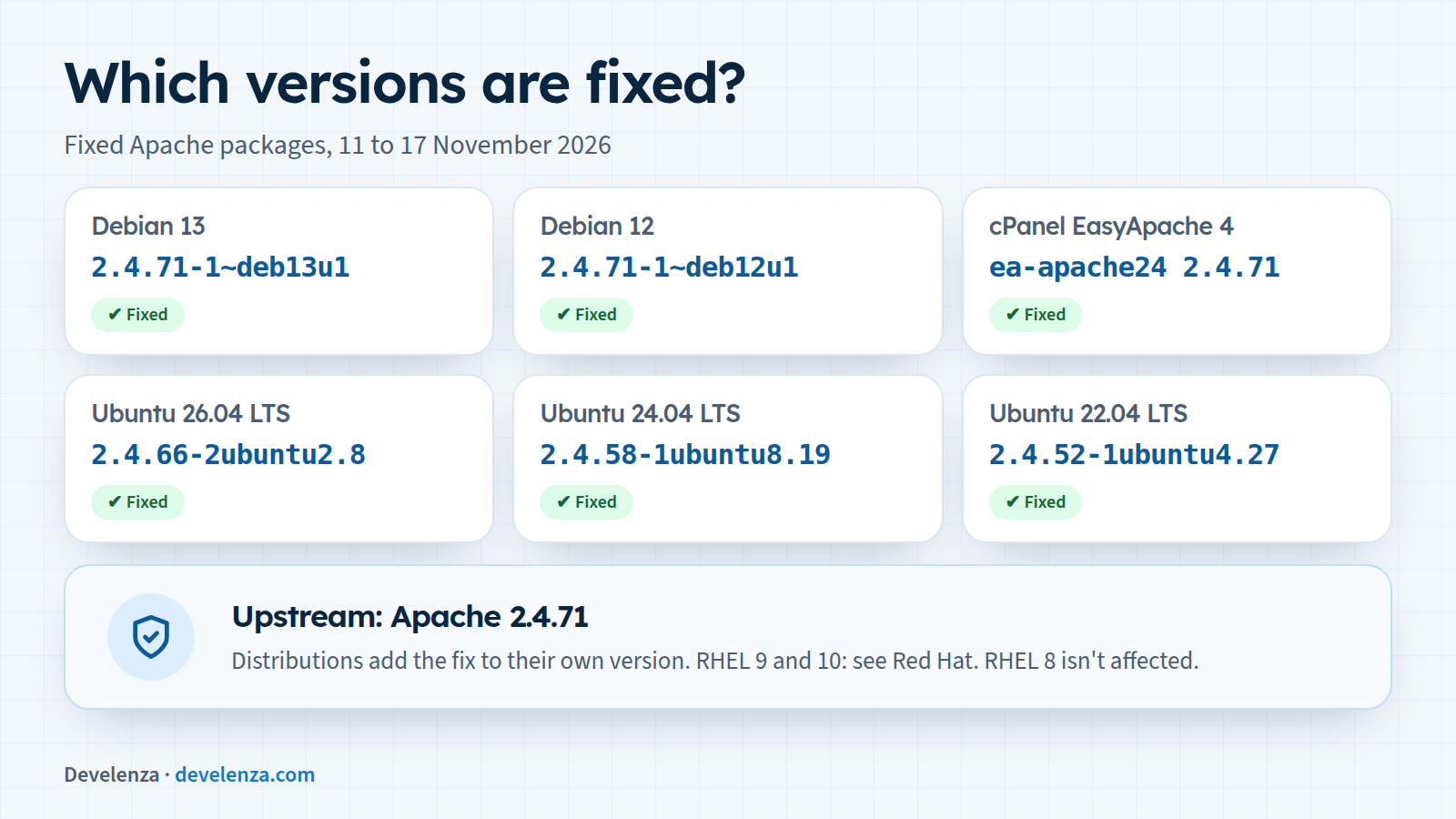
Upstream, the fix is in Apache 2.4.71. Distributions keep their own Apache version and add the fix to it, so compare your package with this table instead of looking for "2.4.71":
| System | Package | Fixed version |
|---|---|---|
| Debian 13 (trixie) | apache2 | 2.4.71-1~deb13u1 (DSA-6620-1) |
| Debian 12 (bookworm) | apache2 | 2.4.71-1~deb12u1 (DLA-4902-1) |
| Ubuntu 26.10 | apache2 | 2.4.68-1ubuntu6.2 |
| Ubuntu 26.04 LTS | apache2 | 2.4.66-2ubuntu2.8 |
| Ubuntu 24.04 LTS | apache2 | 2.4.58-1ubuntu8.19 |
| Ubuntu 22.04 LTS | apache2 | 2.4.52-1ubuntu4.27 |
| Ubuntu 20.04 LTS | apache2 | 2.4.41-4ubuntu3.23+esm11 (Ubuntu Pro) |
| RHEL 9 and 10 | httpd, mod_http2 | fixes released for most products; see Red Hat's CVE page |
| cPanel (EasyApache 4) | ea-apache24 | 2.4.71, EasyApache 4 release 25.96 |
Red Hat Enterprise Linux 8 and Ubuntu 18.04 and older are listed as not affected. AlmaLinux, Rocky Linux and other RHEL rebuilds publish their own updates, so check with them.
What to do today
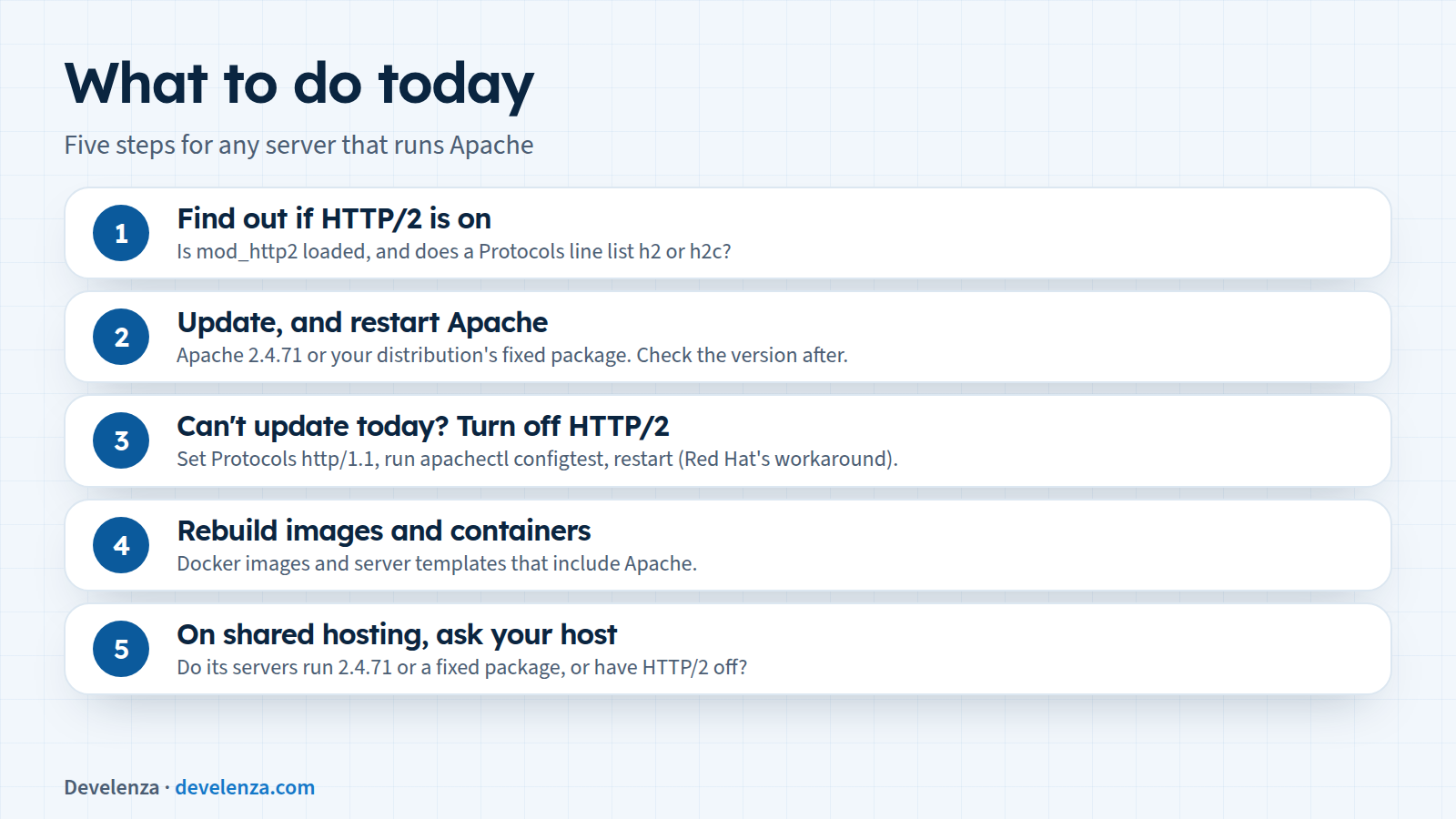
1. Find out if HTTP/2 is on
On the server, check whether the module is loaded and whether any Protocols line includes h2:
# Debian and Ubuntu
apache2ctl -M | grep http2
grep -ri "^\s*Protocols" /etc/apache2/

# Red Hat, AlmaLinux, Rocky
httpd -M | grep http2
grep -ri "^\s*Protocols" /etc/httpd/
Red Hat also suggests testing from the server itself with curl -kI --http2 https://localhost. If the first line says HTTP/2, HTTP/2 is on. Testing your public address from outside can mislead you if a CDN or proxy sits in front of Apache, because you would be talking to the proxy, not to Apache.
2. Update, and restart Apache
If HTTP/2 is on, update today. If it's off, update anyway, because of the two other fixes and because someone may turn HTTP/2 on later.
# Debian and Ubuntu
sudo apt update && sudo apt install --only-upgrade apache2
sudo systemctl restart apache2
dpkg -l apache2

# Red Hat, AlmaLinux, Rocky
sudo dnf update httpd mod_http2
sudo systemctl restart httpd

# cPanel (EasyApache 4)
sudo dnf update 'ea-apache24*'
Check the installed version against the table above. A restart makes sure the running server uses the new code.
3. Can't update today? Turn off HTTP/2
Red Hat's bulletin gives this workaround: remove h2 and h2c from every Protocols line, so it reads Protocols http/1.1. Then test the configuration with apachectl configtest and restart Apache. Visitors will fall back to HTTP/1.1, which is a little slower but works. Turn HTTP/2 back on after you've updated.
4. Rebuild images and containers
If you build Docker images or server templates that include Apache, rebuild them from fixed packages or a fixed base image. Otherwise the next container or server you start will have the old version again.
5. On shared hosting, ask your host
You can't update Apache yourself on shared hosting. Ask your host whether its servers run Apache 2.4.71 or a fixed distribution package, or have HTTP/2 turned off in Apache.
Why the server layer needs an owner
This is the fourth urgent fix in a month for the software under a typical website. PHP2Shell hit the PHP engine, the Laravel 13.40 security fix the framework, SSHole the SSH server, and now Apache. Each one sat in a different layer, and each needed someone to notice, check the servers and update them.
This flaw was also found by two teams within about a week of each other, one of them using an automated scanner. When more people and more tools look at the same code, more bugs get found, and fixes come out more often. That makes a routine for updating more important than any single patch.
How Develenza can help
If you're not sure whether your servers run HTTP/2, which Apache build they use, or who is responsible for updating them, we can check them, apply the updates and set up a routine so the next fix doesn't catch you out. Contact us and we will take a look. Planning a new site or app? Start your project.
Sources
- Apache HTTP Server 2.4 vulnerabilities
- Apache HTTP Server 2.4.71 announcement
- Changes with Apache 2.4.71
- CVE-2026-119618 record (CVE.org)
- Debian security tracker: CVE-2026-119618
- Ubuntu: CVE-2026-119618
- Red Hat: CVE-2026-119618
- Red Hat security bulletin RHSB-2026-017
- cPanel EasyApache 4 change log
- Apache mod_http2 documentation
- CISA Known Exploited Vulnerabilities catalog