A flaw in the OpenSSH server, tracked as CVE-2026-123158 and nicknamed SSHole, lets an attacker log in to some Linux systems by sending a very long password. It was fixed on 5 November 2026, attacks started within days, and the US cybersecurity agency CISA has added it to its list of actively exploited vulnerabilities. Most mainstream web servers appear to be outside its reach. Alpine Linux servers, cloud images and embedded devices that accept SSH passwords are not.
Facts checked on 12 November 2026 against the OpenSSH release notes and Alpine's security advisory. Details can change as more information is published, so confirm against the sources at the end.
What is SSHole?
SSHole is a password authentication bypass in sshd, the OpenSSH server that lets people log in to a Linux machine remotely. It is rated 8.1 (high) on the CVSS scale and was reported by Özgün Kültekin of Wakefield.
On affected systems, an account that should never accept a password, because its password field is just *, accepts any password between 257 and 1,024 characters long. The OpenSSH team says the root cause lies outside sshd, in how the system's password hashing behaves, but that it can be exploited through sshd, so they fixed it there.
We are not describing how to exploit it. For site owners and teams the useful questions are: are our systems affected, and are they patched?
Who is affected?
The OpenSSH release notes say the bug affects "some Linux systems when built and run with PAM support disabled". In practice that means Linux systems built on the musl C library: Alpine Linux above all, and embedded systems built with OpenWrt, Buildroot or Yocto. Alpine says every release it checked is affected, from 3.16 to 3.24.
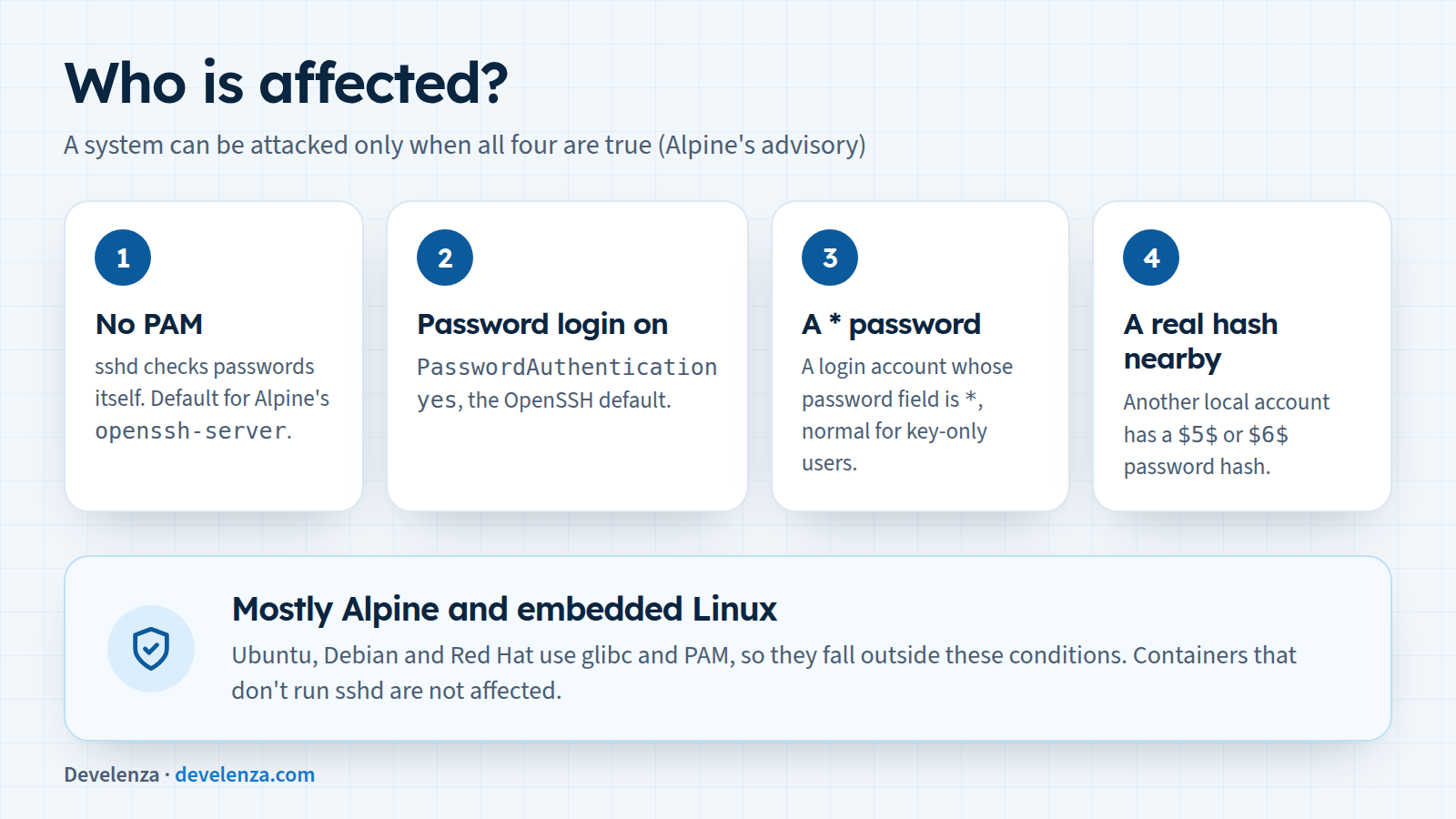
According to Alpine's advisory, a system can be attacked only when all four of these are true:
- sshd checks passwords without PAM. This is the default
openssh-serverpackage on Alpine. Theopenssh-server-pampackage is affected only ifUsePAM nois set. - Password login is on (
PasswordAuthentication yes, which is OpenSSH's default). - An account that can log in has
*as its password field. Alpine notes this is normal for accounts that are meant to use SSH keys only. - At least one other local account has a real password hash (starting with
$5$or$6$).
A few cases worth knowing:
- Root: Alpine's root account ships with
*as its password. The defaultPermitRootLogin prohibit-passwordprotects it, so root is only reachable directly if someone has setPermitRootLogin yes. But a user who can become root without a password (for example throughdoas) is just as good to an attacker. - Alpine cloud images: Alpine says its official cloud images from 3.18.11 to 3.24.3 include an
alpineuser with a*password and passwordlessdoas. They become exploitable as soon as any account on the machine gets a real password. - Docker containers: a container that doesn't run sshd is not affected. Most containers shouldn't run an SSH server anyway.
- Ubuntu, Debian, Red Hat and similar: these use a different C library (glibc) and log in through PAM, so they fall outside the conditions above. Neither the OpenSSH team nor Alpine lists them as affected.
How it unfolded
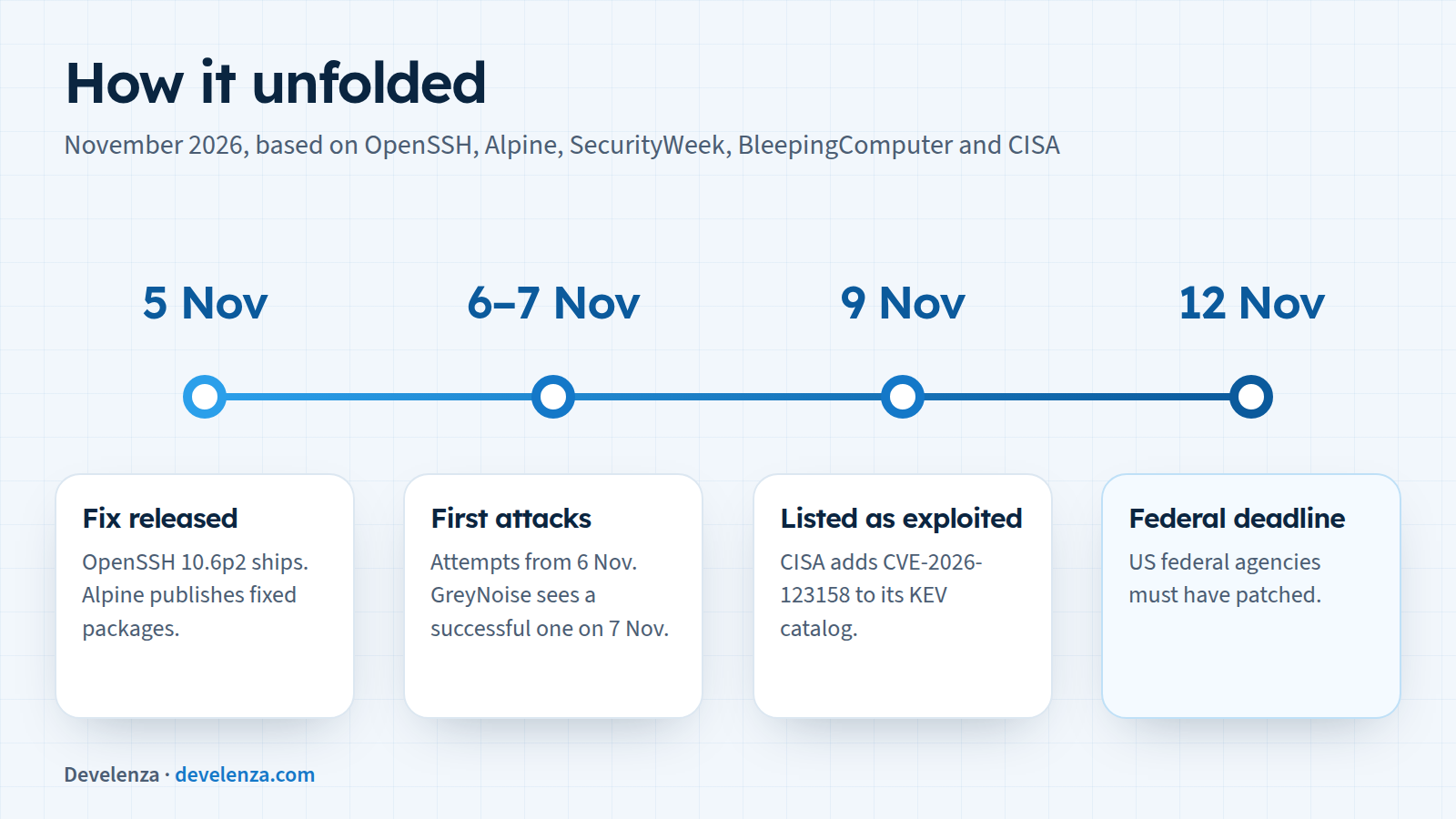
- 5 November: OpenSSH 10.6p2 was released with the fix, and Alpine published fixed packages and its advisory the same day.
- 6 to 7 November: the first attacks were seen. Security firm Previdian counted attempts from 6 November, and GreyNoise recorded its first successful attack on 7 November. watchTowr said that so far mostly botnets and crypto miners were using it.
- 9 November: CISA added CVE-2026-123158 to its Known Exploited Vulnerabilities catalog.
- 12 November: US federal agencies had to patch by today.
Which versions are fixed?
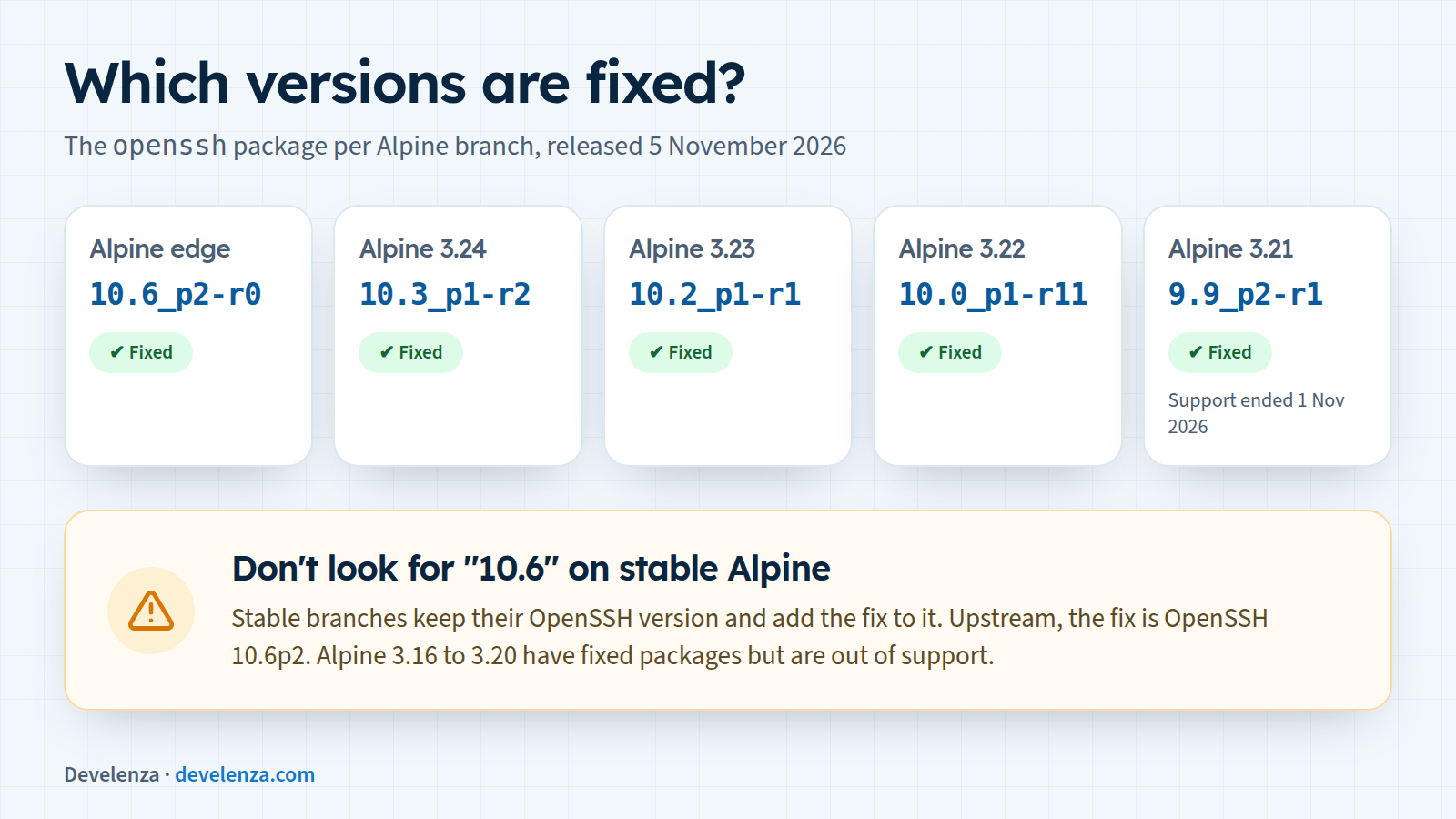
Upstream, the fix is in OpenSSH 10.6p2. Alpine's stable branches keep their own OpenSSH version and add the fix to it, so don't look for "10.6" there. Compare your package with this table instead:
| Alpine branch | Fixed openssh package |
|---|---|
| edge | 10.6_p2-r0 |
| 3.24 | 10.3_p1-r2 |
| 3.23 | 10.2_p1-r1 |
| 3.22 | 10.0_p1-r11 |
| 3.21 | 9.9_p2-r1 (support ended 1 November 2026) |
| 3.20 to 3.16 | fixed packages published, but these releases are out of support |
For OpenWrt, Buildroot, Yocto and devices built on them, check with the vendor or project. A router's firmware update is often the only way to get the fix.
What to do today
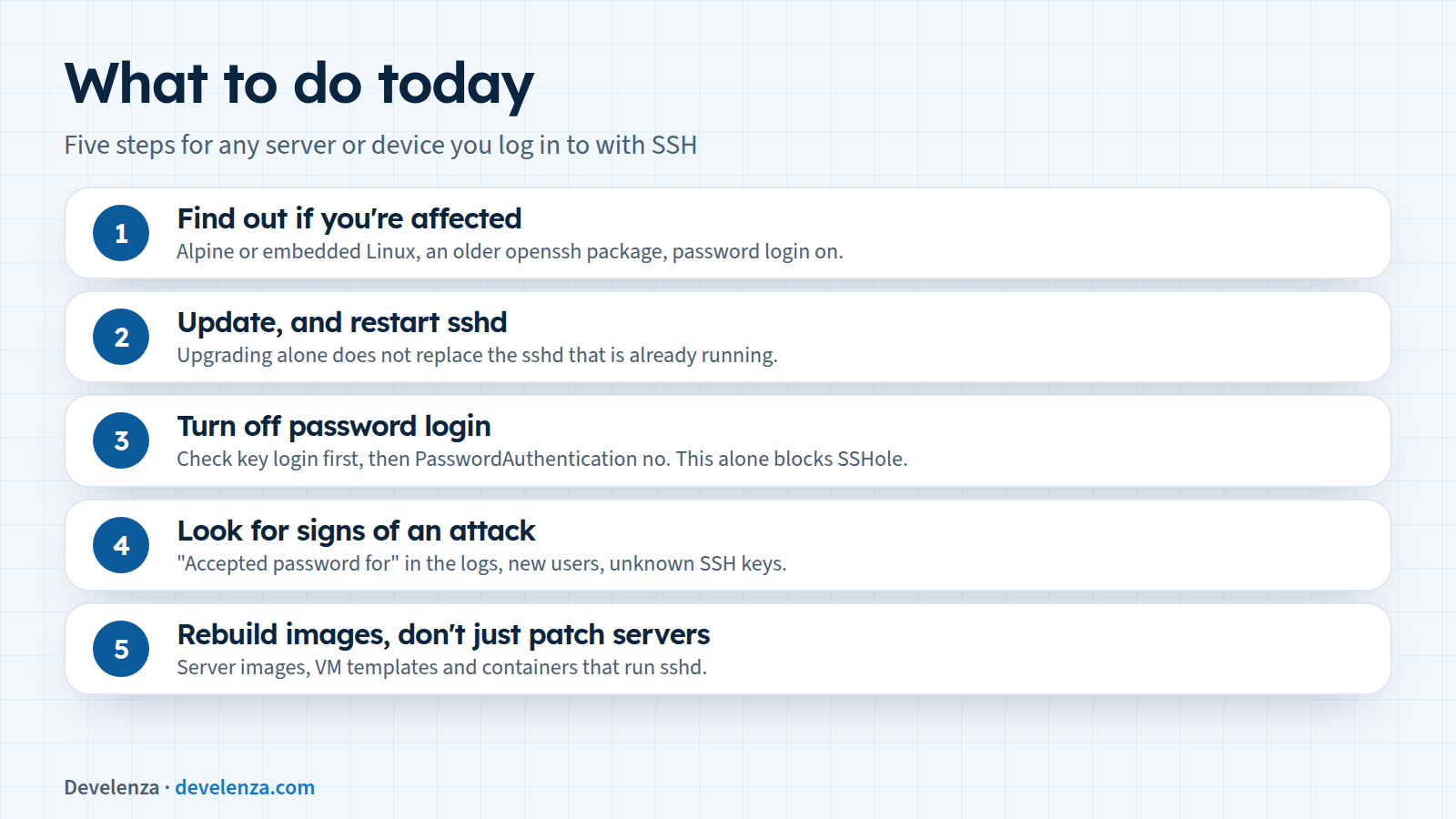
1. Find out if you're affected
Check the system and the OpenSSH package on each server and device you can log in to:
cat /etc/os-release
apk info -v openssh
sshd -T | grep -i passwordauthentication
If it's Alpine, the package is older than the fixed version above and password login is on, treat the server as exposed until it's updated.
2. Update, and restart sshd
On Alpine, run apk upgrade -U -a, then rc-service sshd restart. Alpine points out that upgrading alone doesn't replace the sshd that is already running, so the restart matters.
3. Turn off password login
Even after updating, this is worth doing on every server that only needs SSH keys. First make sure you can log in with a key, in a second session so you don't lock yourself out. Then set PasswordAuthentication no in your sshd configuration, check it with sshd -t and restart sshd. If you can't update today, this setting on its own blocks SSHole.
4. Look for signs of an attack
Alpine suggests searching /var/log/messages for Accepted password for lines for accounts that have no password. Also look for new users, recent use of doas, recently changed files and SSH keys you don't recognise in authorized_keys. If you find anything, treat the machine as compromised: rotate every password, key and token it could read, and rebuild it if you can.
5. Rebuild images, don't just patch servers
If you build your own Alpine-based server images, virtual machine templates or containers that run sshd, rebuild them from the fixed packages. Otherwise the next server you start from an old image will be vulnerable again.
Why the settings matter as much as the patch
SSHole only works where password login is on. Servers that accept SSH keys only were never at risk, whatever version they ran. That is the pattern with most serious flaws: the systems that hold up are the ones that expose as little as possible, whether it's password login, an SSH server in a container that doesn't need one or a port open to the whole internet.
It's also the third urgent fix in a month for the software under a typical website, after PHP2Shell in the PHP engine and the Laravel 13.40 security fix in the framework. The application, the language and the server under it all need updating, and the gap between a fix and the first attacks is now measured in days.
How Develenza can help
If you're not sure what your servers run, or nobody owns keeping them up to date, we can check them, apply the updates, move logins to SSH keys and set up a routine so the next fix doesn't catch you out. Contact us and we will take a look. Planning a new site or app? Start your project.
Sources
- OpenSSH 10.6p2 release notes
- Alpine Linux: OpenSSH password authentication bypass (CVE-2026-123158)
- SecurityWeek: OpenSSH rushes patches for SSHole authentication bypass
- SecurityWeek: hackers exploiting SSHole authentication bypass in OpenSSH
- BleepingComputer: hackers exploit SSHole OpenSSH flaw to breach Linux systems
- CISA Known Exploited Vulnerabilities catalog