A Microsoft 365 outage that began on the evening of 12 November 2026 (UTC) has left many people unable to open their Outlook mailbox, and others with email arriving late. The problem is centred on Exchange Online, the service that runs Outlook business email. Other Microsoft 365 services are affected mainly where they rely on Exchange Online, such as calendars in Teams and Copilot's access to mail, while Teams calls and files in SharePoint have largely kept working. Businesses that buy their email through a host, such as GoDaddy's Microsoft 365 email, are affected too, because that email runs on the same service. Microsoft says recovery is well under way, but some users still have problems. Below: what happened, what was affected and what to do while your email is unreliable.
Facts checked on 13 November 2026 at 16:00 UTC against Microsoft's service status page, Microsoft's documentation and GoDaddy's status page. The incident was still open at the time of writing. We'll update this post when Microsoft marks it resolved and publishes its Post-Incident Report.
What happened?
Microsoft's status page describes the incident as "Users may be unable to connect to multiple Microsoft 365 services", with the status "Service degradation". In Microsoft's words, features "that interact with Exchange Online and email services are impacted", while parts of those services that don't depend on Exchange Online keep working.
GoDaddy, which sells Microsoft 365 email as "Professional Email with Microsoft 365", reported on its status page that Microsoft had identified the issue as affecting Office 365 globally. GoDaddy also relayed Microsoft's explanation of the cause: on the affected servers, the process "responsible for establishing secure connections becomes overwhelmed, causing the servers to stop processing requests". Microsoft began reverting a recent network configuration change that lined up with the start of the problem, and limited traffic in some locations while the servers recovered.
Microsoft says it has no evidence of malicious activity, and that it will publish a full Post-Incident Report with the root cause once the problem is fully fixed.
What is affected?
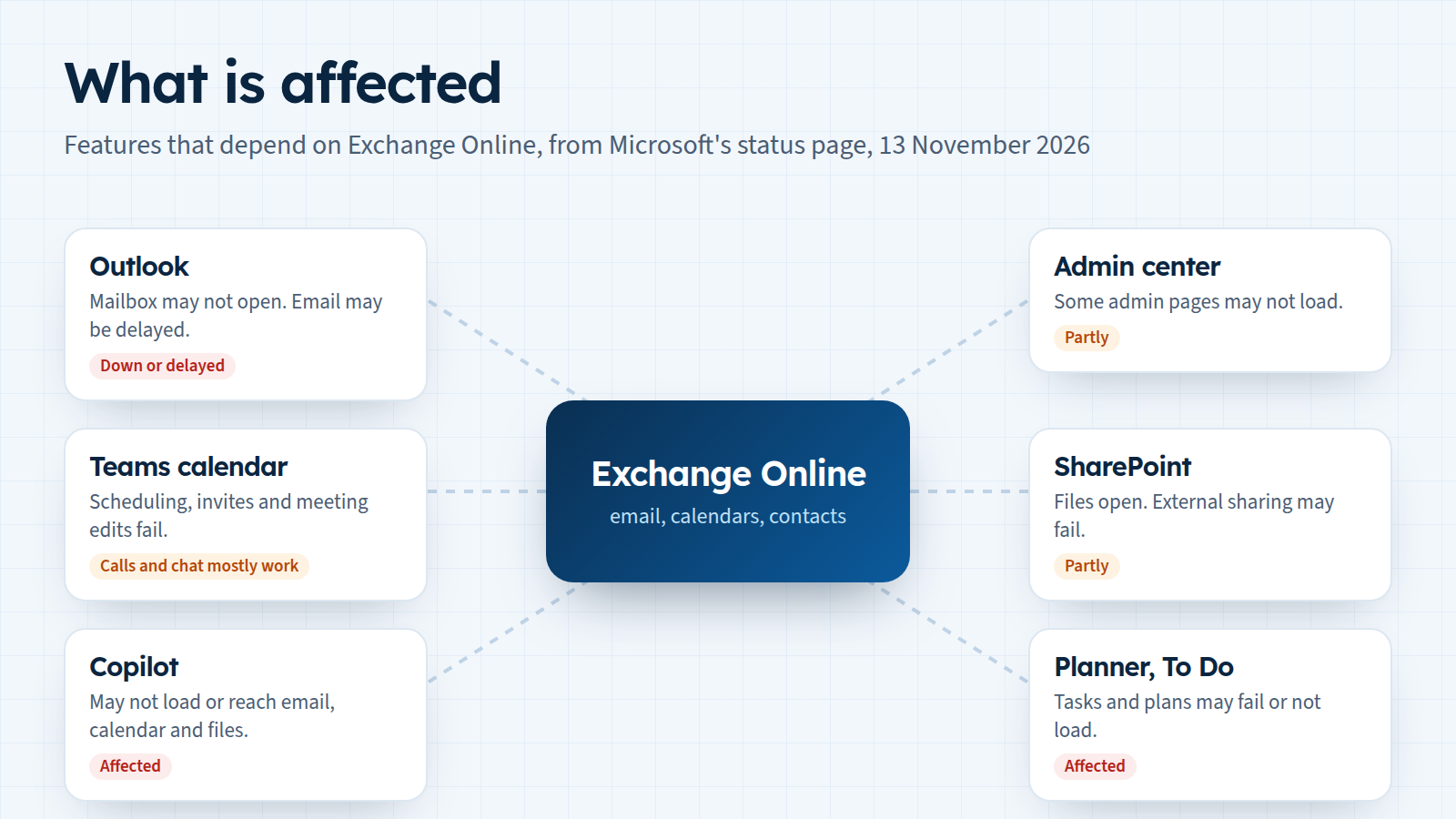
The impact is not the same across Microsoft 365. Exchange Online is the service with the main problem. For the others, Microsoft says only the features that depend on Exchange Online "may" fail, and not every user sees every problem. According to Microsoft's status page, these are the effects most businesses will notice:
| Service | What may fail | What keeps working |
|---|---|---|
| Exchange Online (Outlook email) | Opening a mailbox in Outlook on the web, Outlook desktop, mobile apps using Exchange ActiveSync and REST-based connections. Email delivery may be delayed. | Not stated |
| Microsoft Teams | Calendar features: scheduling, invites, viewing and editing meetings. Creating live and virtual events. | Calls, meetings, group chats and channel messages (mostly) |
| Microsoft Copilot | Copilot Chat may not load or answer, and may not reach work email, calendar and files. | Not stated |
| Microsoft 365 admin center | Some admin pages may not load. | Other admin pages |
| SharePoint Online | Sharing with people outside the organisation, and features that depend on Exchange Online. | Opening files stored in SharePoint |
| Planner, To Do | Plans, tasks and the To Do app may not load. | Not stated |
"Not stated" means Microsoft's update doesn't say. Microsoft's list also includes Intune, Purview, Defender, Power Apps, Power BI, Universal Print and Windows 365 for some setups. If your IT team uses those, read the full list on the status page.
How it unfolded
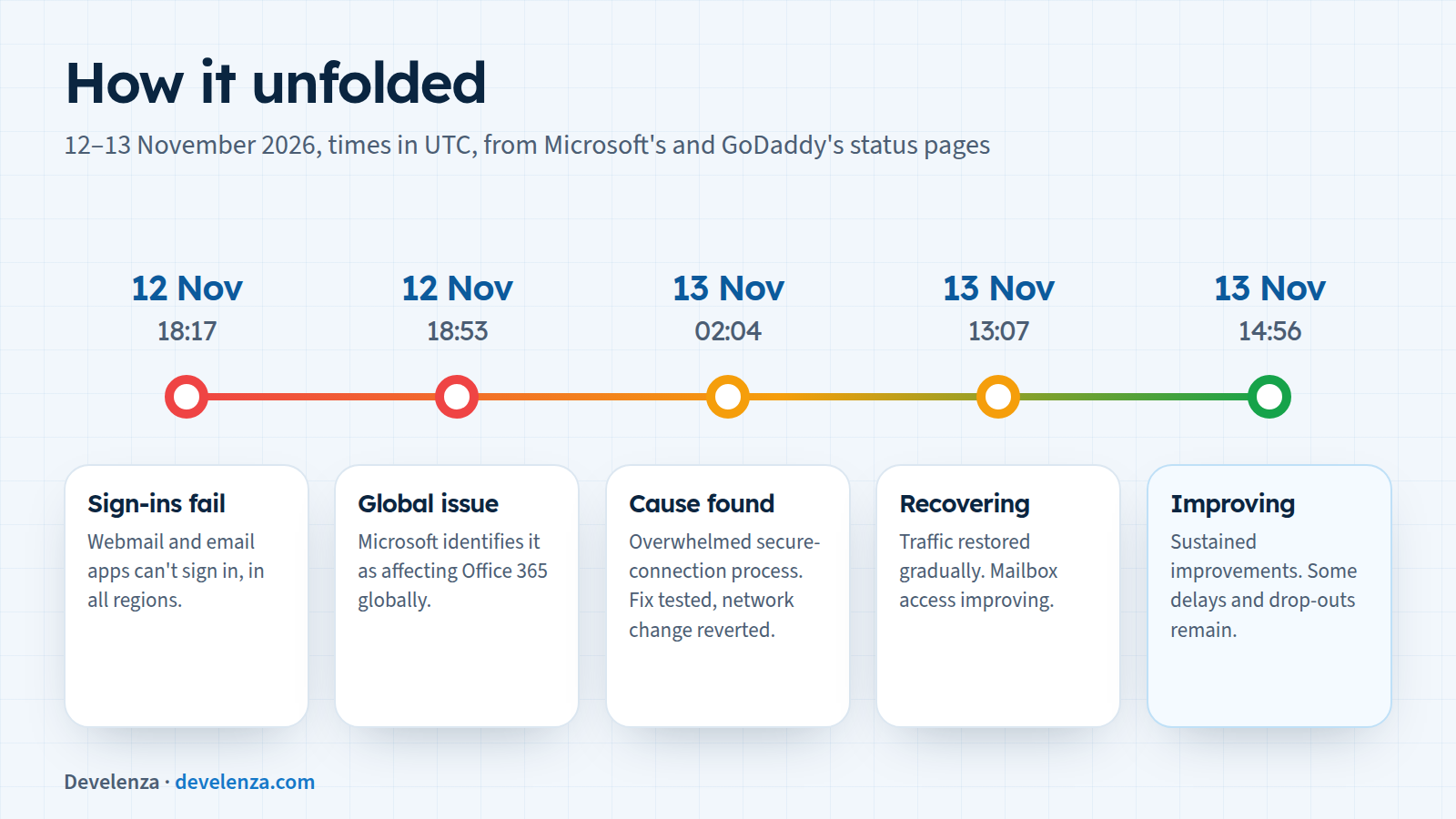
All times are UTC.
- 12 November, 18:17: GoDaddy starts investigating problems with setting up and signing in to Microsoft 365 webmail and email apps in all regions.
- 12 November, 18:53: GoDaddy reports that Microsoft has identified the issue as affecting Office 365 globally.
- 13 November, 02:04: Microsoft has found the cause: an overwhelmed process that sets up secure connections. It is testing a configuration fix on some servers before a wider rollout, reverting a recent network change and limiting traffic in some locations.
- 13 November, 13:07: Recovery actions are complete in parts of several regions. Traffic is being restored gradually, and mailbox access and delayed email are improving.
- 13 November, 14:56: Microsoft reports sustained improvements, while some users may still see intermittent connection problems or delayed email.
- 13 November, 15:56: Microsoft says it remains focused on "addressing residual impact", is checking recovery across the different ways of connecting and is watching service health to confirm the service stays stable.
Is email lost during an Outlook email outage?
Usually not. Microsoft's own wording is that email delivery "may be delayed". The email standard (RFC 5321) also expects a sending server that can't deliver a message to keep it and try again later, and to keep trying for "at least 4-5 days" before giving up. So messages sent to you during the outage are normally waiting on the sender's side and arrive once your mailbox accepts mail again. They may arrive hours late and out of order.
The exception is a message the sender's system bounced back with an error. The sender gets a "could not deliver" notice and has to send it again. That's why it's worth checking with anyone who wrote to you about something urgent.
What to do today
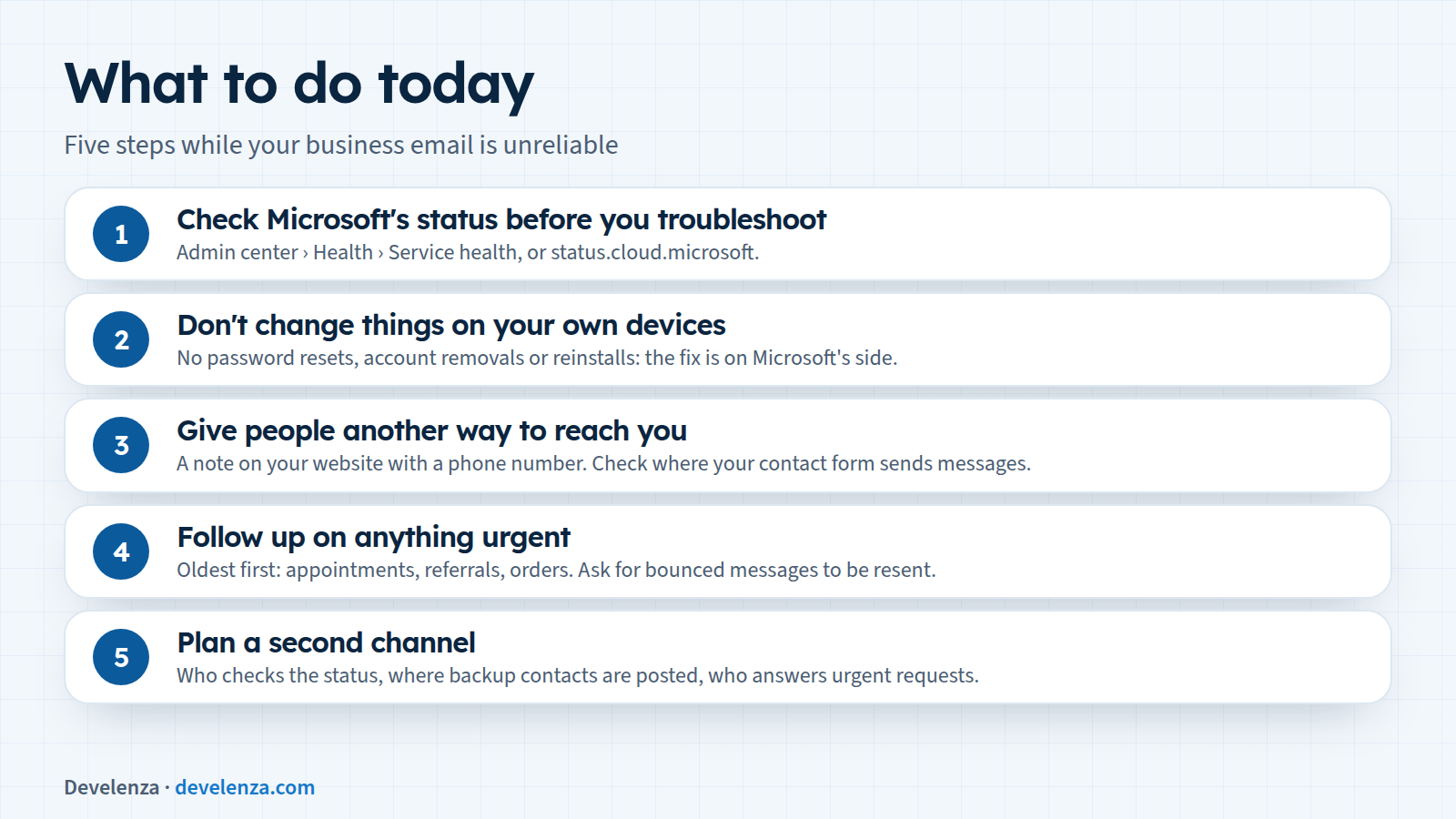
1. Check Microsoft's status before you troubleshoot
If Outlook won't connect, check whether it's a known problem first. Microsoft's guide says to look at Health › Service health in the Microsoft 365 admin center (admin.microsoft.com). If you can't sign in there, use the public status page at status.cloud.microsoft, or follow @MSFT365status on X. If you use GoDaddy's Microsoft 365 email or another host's, the host's status page will show the same incident.
2. Don't change things on your own devices
When the status page confirms the problem, it's on Microsoft's side. Resetting passwords, removing and re-adding accounts or reinstalling Outlook won't fix it, and can leave you with more to set up again later. For the Power Apps and Field Service mobile apps, Microsoft specifically advises users who are still signed in not to sign out, clear app data or reinstall while the issue lasts.
3. Give people another way to reach you
Patients, clients and suppliers don't know your mailbox is down. Put a short note on your website and social media pages with a phone number or another way to reach you. Check how your website's contact form works too. If it only forwards messages to the affected mailbox, those messages are delayed as well. If it also saves each message in your website's own database, you can still read new enquiries there.
4. Follow up on anything urgent
Once mail flows again, go through what arrived late, oldest first. Answer appointment requests, referrals and orders from the outage window first. Ask anyone who got a "could not deliver" message to send it again. Expect some duplicates, because people often resend when they don't hear back.
5. Plan a second channel
Afterwards, write down what you'd do next time: who checks the status page, where the backup contact details are posted, and who answers urgent requests while email is down. Read Microsoft's Post-Incident Report when it's published to see what changed.
Why it matters
For a clinic or a small business, email is often where appointments, referrals, invoices and new enquiries all arrive. When one provider has a bad day, everything that depends on that inbox stops at once. Microsoft's list of affected services shows how far a single dependency reaches: during this Microsoft 365 outage, parts of Teams, Copilot and the admin tools ran into problems because they rely on Exchange Online.
No provider is immune, and the fix isn't to leave Microsoft 365. It is to make sure one service isn't the only way into your business. A website that keeps working, a contact form that saves enquiries, a phone number people can find and a written plan cover most of the gap.
How Develenza can help
We build websites and patient-facing systems where enquiries, appointment requests and forms are saved securely in your own system, not only sent to an inbox, so a mail outage delays notifications rather than losing work. If you want us to check how your site's forms and notifications would behave in an outage like this one, contact us. Planning a new site or app? Start your project.
Sources
- Microsoft service health status (Microsoft 365 incident "Users may be unable to connect to multiple Microsoft 365 services")
- Microsoft Learn: How to check Microsoft 365 service health
- GoDaddy status: Microsoft Office 365 Email Outage
- RFC 5321, Simple Mail Transfer Protocol, section 4.5.4.1 (retry strategy)