Black Friday is on 27 November and Cyber Monday on 30 November. For many businesses that means the busiest days of the year, and for some websites it means the slowest. Traffic spikes also come from a campaign email, a mention in the press or a health awareness day. A spike does not create new problems. It finds the weak spots you already have.
This checklist works for online shops, clinics running offers and any business expecting a busy week. It is ordered by time, so you can start today.
Facts checked on 2 November 2026.
Where websites break under load
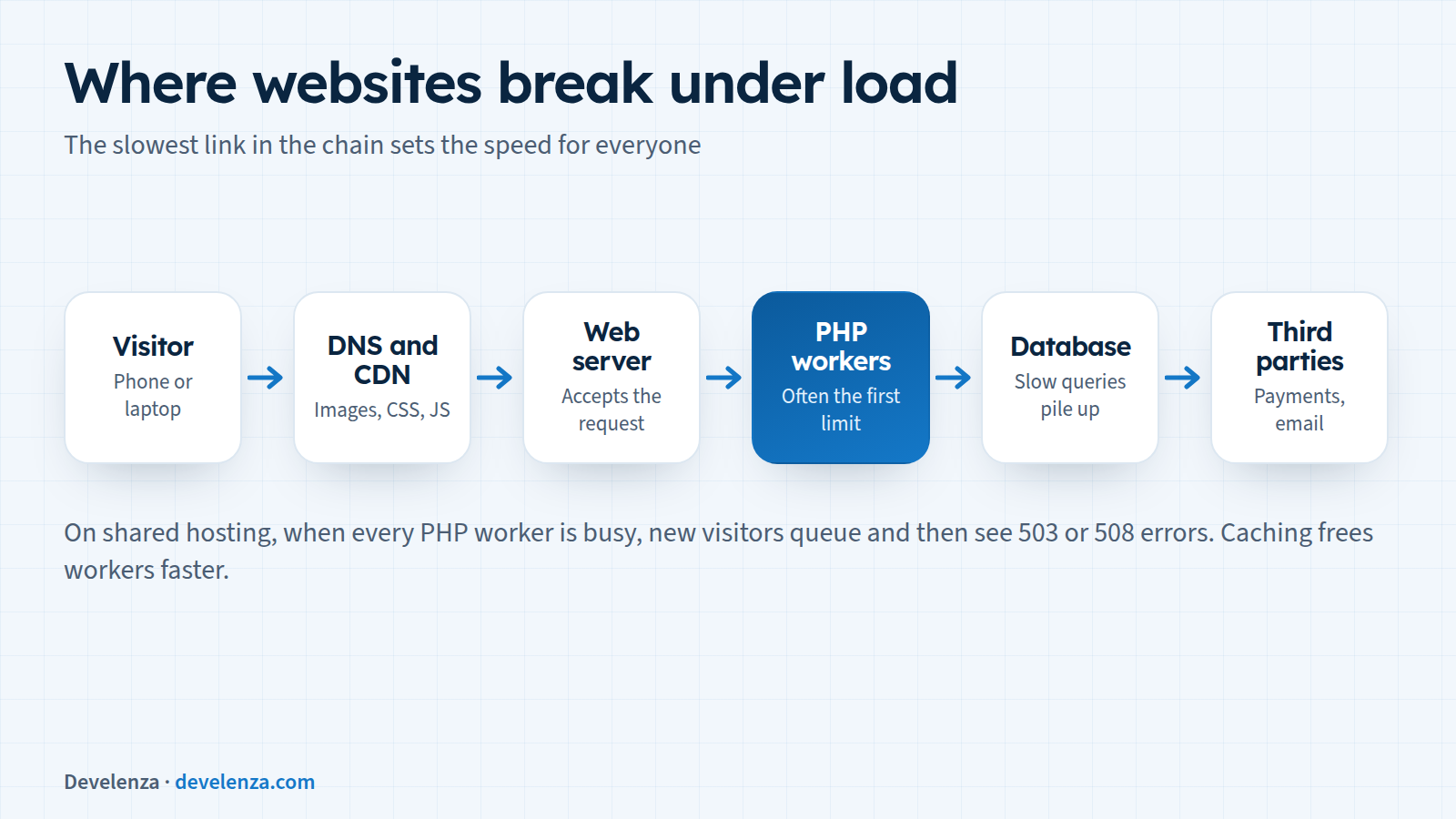
Every page view travels through a chain: DNS and a CDN, the web server, PHP, the database, and often outside services such as payments, email and analytics. The slowest link sets the speed for everyone.
On shared hosting the usual limit is the number of PHP processes that can run at once. When they are all busy, new visitors wait in a queue, then see errors such as "503 Service Unavailable" or "508 Resource Limit Reached". Caching and lighter pages mean each visitor holds a process for less time, so more visitors fit.
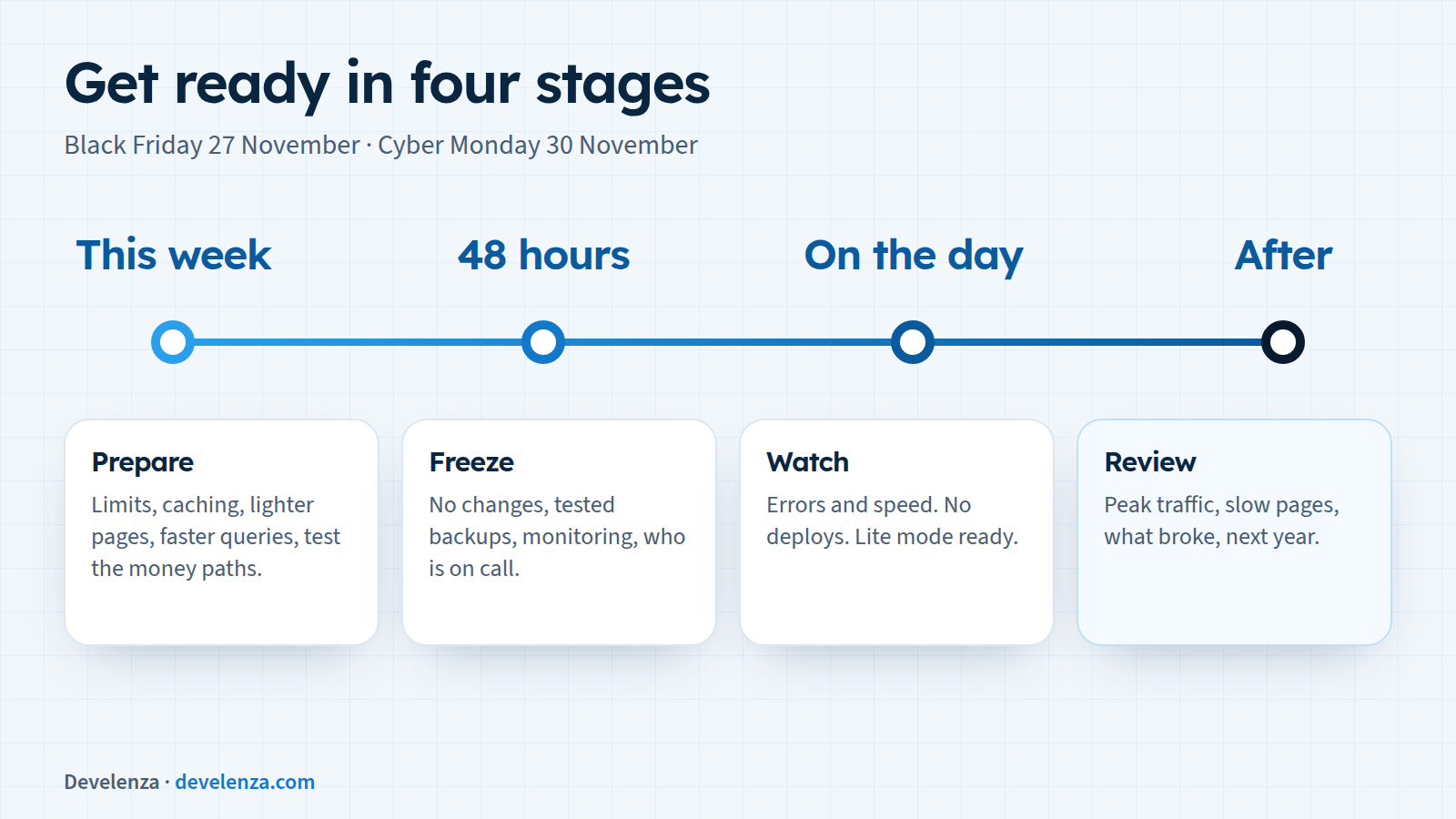
This week
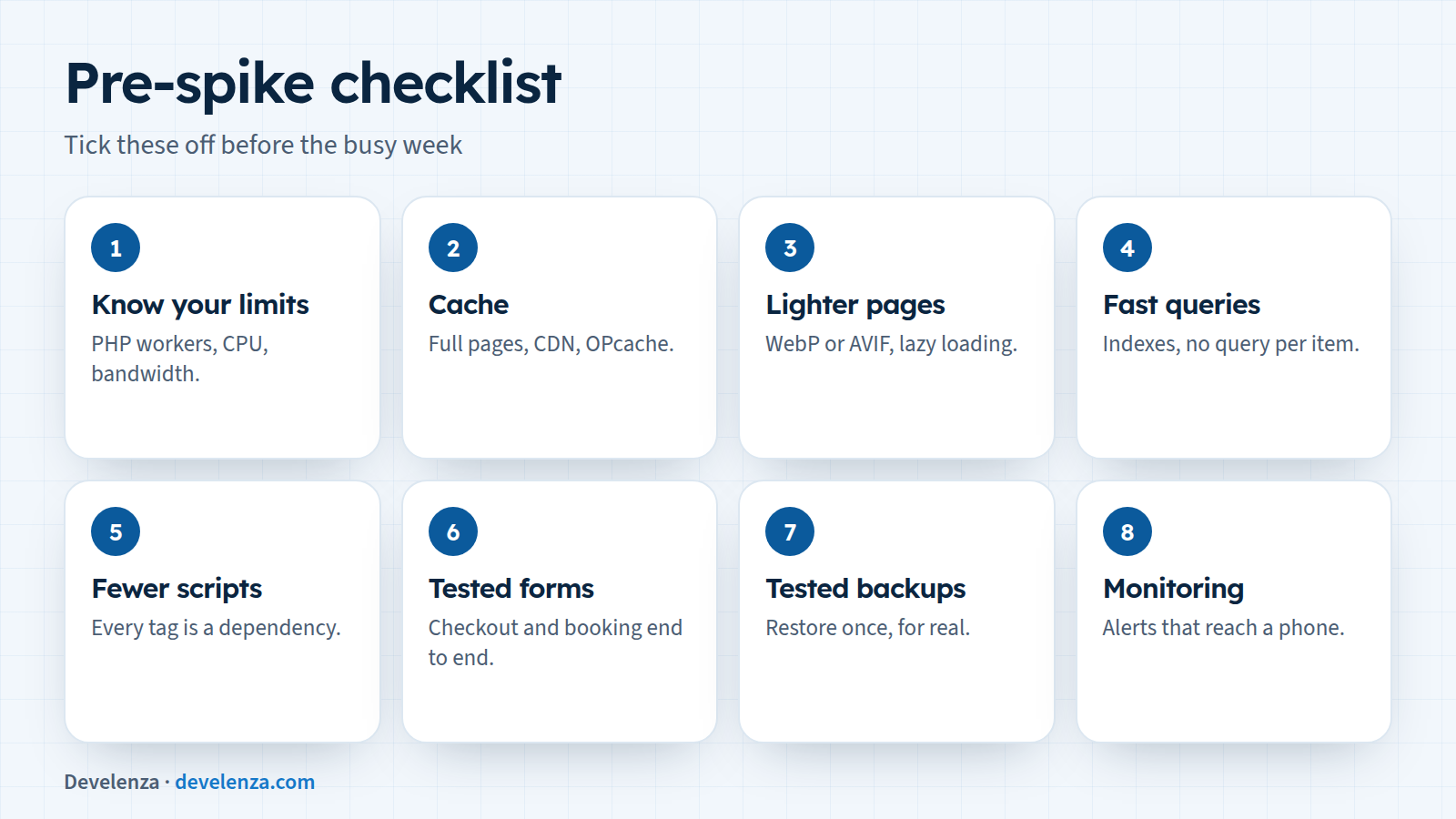
- Know your limits. Ask your host about PHP process limits, CPU and bandwidth on your plan, and whether you can upgrade for a month.
- Load test a copy. Use a staging site, not production. If you must test production, warn your host first.
- Cache what does not change. Full-page caching for public pages, a CDN for images, CSS and JavaScript, and PHP's OPcache switched on.
- Make pages lighter. Compress images (WebP or AVIF), lazy-load images below the fold and remove unused scripts. Check your Core Web Vitals: Google rates a page as good when Largest Contentful Paint is 2.5 seconds or less, Interaction to Next Paint 200 milliseconds or less and Cumulative Layout Shift 0.1 or less.
- Fix slow database queries. Check the slow query log, add missing indexes and remove queries that run once per item in a list.
- Trim third-party scripts. Every chat widget, tracker and pixel adds weight and is one more thing that can fail.
- Test the money paths. Checkout, booking and contact forms, from start to the confirmation email. Send emails through a queue so a slow mail server does not slow the page.
48 hours before
- Freeze changes. No new features, no plugin updates, unless something is broken.
- Take a backup and test a restore. A backup you have never restored is a hope, not a plan.
- Set up monitoring. Uptime checks and alerts that reach a phone, not just an inbox.
- Decide who is on call and how to reach your host's support quickly.
- Prepare a fallback. A simple holding page and a short message for social media if things go wrong.
On the day
- Watch error rates, response times and the email queue.
- Don't deploy. If you must fix something, make the smallest change possible.
- Have a "lite mode" ready: switch off heavy features such as live search or recommendations if the server struggles.
After
Write down what happened while it is fresh: peak traffic, slowest pages, what broke and what you would do differently. Next year's preparation starts there.
How Develenza can help
We build and tune fast websites, from caching and database work to Core Web Vitals. If you want a quick performance check before the busy season, contact us and we will look at your site this week.